Realistic Buggy Driver
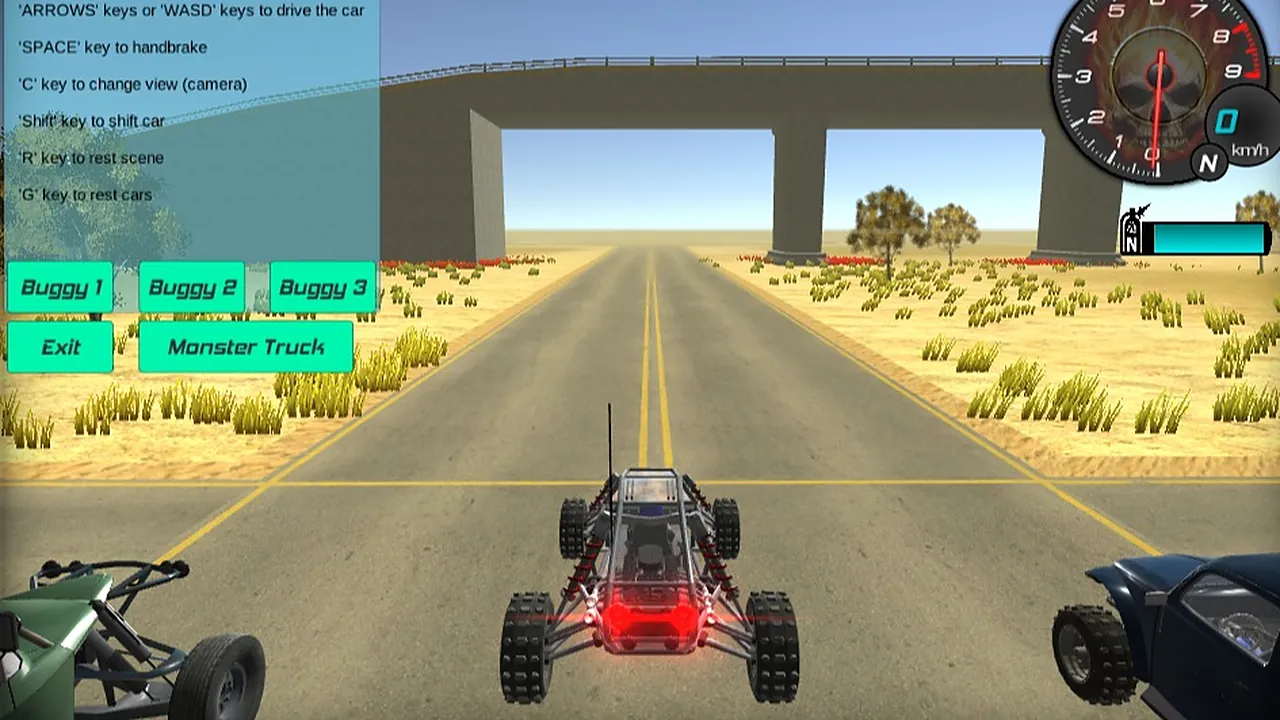
Four buttons on the left of the screen decide how you start: Buggy 1, Buggy 2, Buggy 3 and Monster Truck. Pick one and it appears on a wide desert road, with a concrete overpass ahead and dry grass along both edges. That choice of machine is what sets the game apart, because the same open scenery can be driven in more than one vehicle.
Once you are rolling, a round dial in the top right reads out your speed in km/h, and a cyan bar under it holds your boost. Two other vehicles sit at the corners of the frame, a green one on the left and a dark blue one on the right. It is a 3D drive in a landscape window, built around moving through different environments rather than chasing a lap clock.
How to play
- Click one of the vehicle buttons on the left, Buggy 1, Buggy 2, Buggy 3 or Monster Truck.
- Hold W or the up arrow to pull away, and steer with A and D or the left and right arrows.
- Tap Space to use the handbrake when you need to slow or swing the rear round.
- Press C to change the camera if the view behind the vehicle hides the road.
- Hold left Shift for a burst of boost and watch the bar next to the speedometer.
- Press G to reset the car, or R to reset the whole scene, when you end up stuck.
There is no fixed finish line on screen, so you set the pace. Pick a vehicle, find a stretch of road you like and keep driving.
Controls
| Input | Action |
|---|---|
| W / Up arrow | Accelerate |
| A, D / Left, Right arrows | Steer left and right |
| Space | Handbrake |
| C | Change camera |
| Left Shift | Boost |
| R | Reset the scene |
| G | Reset the car |
| Mouse click | Choose a vehicle button or Exit |
Tips
- Try each vehicle on the same stretch of road before settling on one.
- Use boost in short bursts rather than holding Shift for long.
- Use the handbrake in short taps rather than holding Space down.
- Switch the camera with C if the view is hard to read.
- Press G to reset the car if it gets stuck, or R to reset the whole scene.
- Keep an eye on the speedometer at the top right as your speed builds.
Screenshots
Our take
A keyboard is the right device here, since every action sits on a key and the vehicle buttons need a mouse click. On a short break you can pick a buggy, drive a while and leave, because nothing on screen asks you to finish anything. A long sitting suits trying the three buggies and the monster truck back to back, though the open road gives you no goal to chase beyond your own. If you want a lap time, a rival or a score to beat, you will find little to push against. If you like simply driving and switching cameras, it fills a quiet half hour.
Frequently asked questions
Which vehicles can I drive?
Use the vehicle buttons on the left of the screen to choose the buggy you want to drive.
What mistakes do beginners make?
Holding Shift or Space down for long periods is harder to manage than short bursts and short taps. Press G to reset the car if it gets stuck.
Can I play with a mouse alone?
No. Driving, the handbrake, boost and the camera all use the keyboard, with WASD or the arrow keys for driving.