Real Excavator Simulator
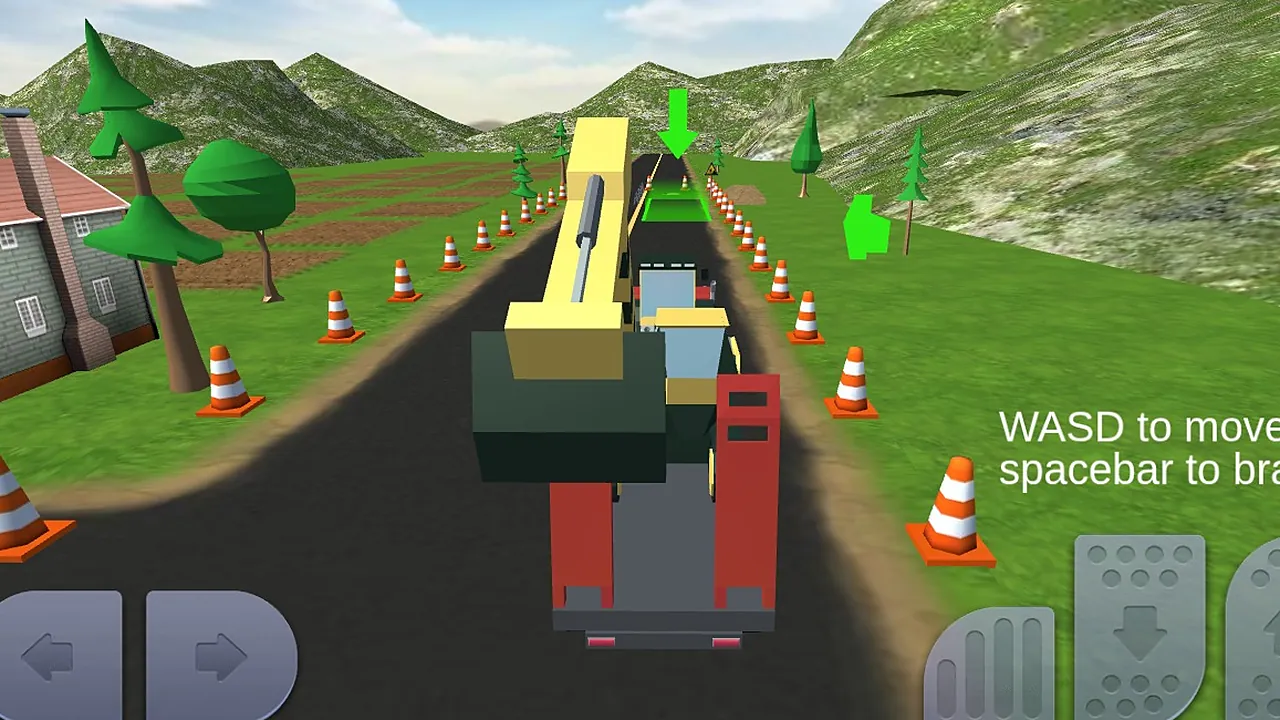
You sit behind a chunky construction vehicle with a long yellow boom, seen from behind. A green arrow floats down the road to mark where you are headed.
Missions have to be finished on time, and most of them ask you to drive steadily to the marked area. The cones on both verges show how wide the road is. Touch buttons sit on the screen for play on a touch device. It is careful driving with a cartoon look.
How to play
Rushing tends to backfire. A large vehicle pushed flat out overshoots the marked area or drifts off the road, and recovering costs you time you may not have.
A mission runs like this.
- Look for the green arrow and the marked area it points to.
- Drive with W and steer with A and D.
- Press Space to brake before you reach the marker, not on top of it.
- Stay between the cones and arrive before time runs out.
On a touch screen, the on-screen buttons take the place of the keys.
Controls
| Input | Action |
|---|---|
| W | Drive forward |
| S | Back up |
| A / D | Steer left and right |
| Space | Brake |
| On-screen buttons | Left and right arrows steer, the pedals drive and brake on touch screens |
Tips
- Brake early. Space takes speed off gradually, so tap it well before the arrow rather than at it.
- Watch the cones on the verge to judge how far you can drift before leaving the road.
- Short taps on A and D keep a long vehicle steady, while a long hold swings it wide.
- Treat the first approach to a marked area as a rehearsal if time allows, and line up straight before you commit.
Screenshots
Our take
If you want fast, aggressive driving, this is not that. Nothing here rewards a heavy foot. Players who like patient, careful vehicle handling will still find plenty to enjoy. The 3D cartoon vehicles and the green arrow make the goal easy to follow, and the keys are simple: WASD to move and Space to brake. It also works with on-screen buttons if you play on a touch device. Careful, precise stopping is a fair skill to practise.
Frequently asked questions
What is the hardest thing to control?
Stopping in the right place. The vehicle is large and most missions want you at a marked area, so braking with Space ahead of time matters more than steering.
What is the best device to play on?
A computer keyboard uses WASD and Space directly. Phones and tablets have on-screen touch buttons instead, and a bigger screen makes the green arrow easier to follow.