Bicycle Simulator or Super Bike Racing, which two-wheeler to ride
Both of these browser games put you on two wheels, and that is where the similarity ends. One hands you an open floor, a list of keys and no goal beyond what you decide to try. The other gives you a single decision, which lane to be in, and repeats it every second or two. Choosing between them is mostly a matter of what kind of session you want.
The short version
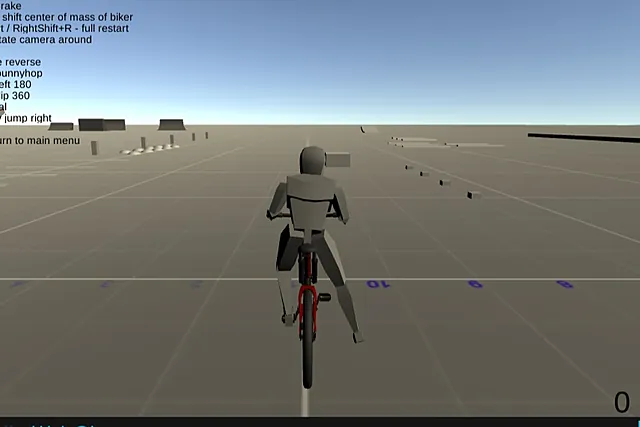
Bicycle Simulator is a 3D bicycle sandbox in a landscape view. You ride, bunnyhop and spin through stunts on an open floor with ramps, and nothing is chasing you. Super Bike Racing is a portrait game in which you steer a bike up a cracked road, dodge crates and cones, and watch the score climb. If you want to experiment and learn a bike, the first fits. If you want a quick run that reads at a glance, the second does.
| Bicycle Simulator | Super Bike Racing | |
|---|---|---|
| View | Landscape, 3D, from behind | Portrait, bike at the bottom |
| Input | Keyboard plus right mouse button | Mouse or touch |
| Goal | Chain stunts your way | Keep a clean line, raise the score |
| Pace | Yours to set | A decision every second or two |
Controls compared
Bicycle Simulator
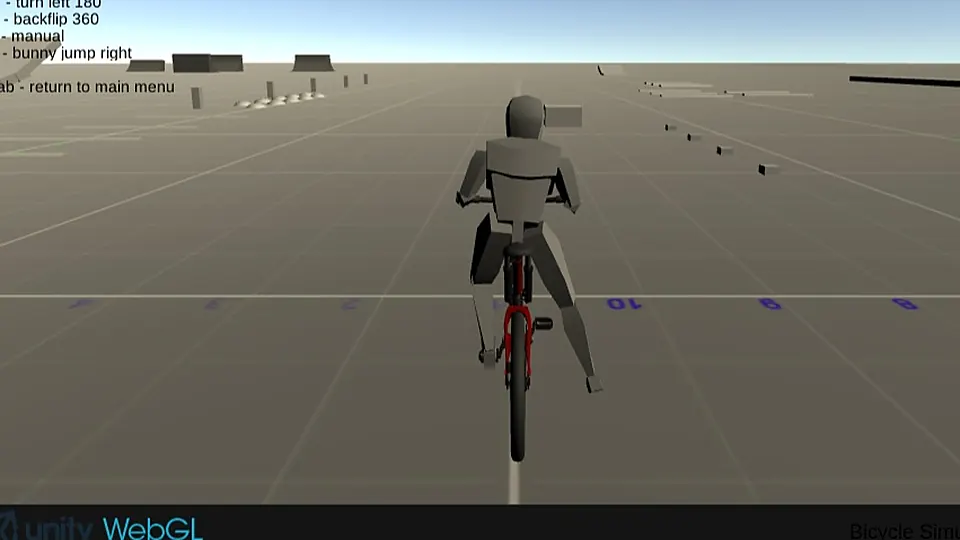
This is the keyboard-heavy one. You ride with WASD or the arrow keys and brake with X, which is the rear brake. Space makes the bike bunnyhop, and B gives a bunny jump to the right. M turns the bike left 180 degrees, and N throws a backflip 360. C toggles reverse, and Q, E, F and V shift the rider's centre of mass. The camera follows from behind, and holding the right mouse button lets you rotate it around the bike.
If a trick goes wrong, R restarts, RightShift and R together give a full restart, and Esc returns you to the main menu. That is a long list, but you do not need all of it at once. Learn it in layers: riding and braking first, then the hop, then the turns and the flip.
Super Bike Racing
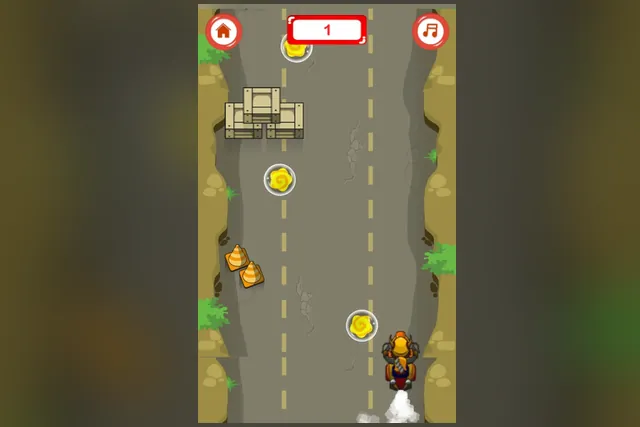
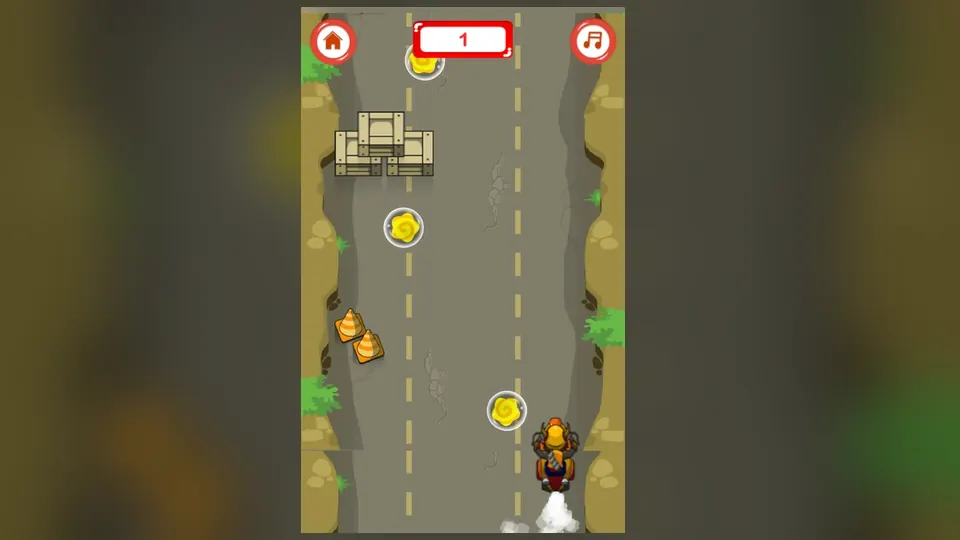
The control scheme is almost the opposite. You steer the bike left and right across the road with the mouse or by touch, and that is the whole steering input. A home button takes you back to the home screen, and a music button switches the music on or off. There is nothing to memorise, which makes the first run quick to begin.
What a run looks like
A session in Bicycle Simulator
From behind, a blocky grey rider sits on a red bicycle facing a wide grid-lined floor. Ramps and low blocks are scattered in the distance, a list of keys is printed across the sky and a counter reads 0 at the start. There is no route to follow. The fun is in learning how this bike behaves and what you can make it do, so a session is more like practice in a playground than a race.
A sensible way to spend it:
- Ride out with WASD or the arrow keys and get a feel for the rear brake on X before you try anything bold.
- Head for a ramp and hop with Space.
- Try a left 180 with M or a backflip with N once the hop feels natural.
- Use the right mouse button to swing the camera around and size up a ramp before you hit it.
- Press R as soon as a run goes wrong instead of fighting a bad position.
Spend the first minutes just riding and braking, so the bike feels familiar before you add tricks. Look at the ramp and the landing area ahead before you commit, and try the bunny jump to the right on an open stretch.
A run in Super Bike Racing
The bike sits at the bottom of a tall portrait screen while the track scrolls toward it. Crates stack up in the lanes, orange cones sit at the edges, and yellow swirls float inside glass bubbles. The road is cracked tarmac running between rocky banks with green bushes, and a puff of smoke trails behind the bike. A score box shows the number, and it climbs as the run goes on, so the longer you keep a clean line, the higher it gets.
The steps are short:
- Move the bike to the lane you want as soon as the road starts scrolling.
- Keep it near the bottom of the screen, where it stays in view and you have the most time to react.
- Slide round crates and cones as they come down the lanes.
- Steer toward the yellow swirls in their bubbles when the way is clear.
Look at the top of the road, not at the bike, so you see the next crate before it reaches you. Stay near the middle of the road when it is busy, so you have room to move either way. Small, early nudges work better than big swings, which leave you in the path of the next obstacle. Give yourself extra room when yellow pick-ups or traffic cones are close by.
Who each one suits
Bicycle Simulator suits players who
- like open-ended play with no timer and no route.
- are happy to learn a list of keys and use a full keyboard.
- enjoy repeating a ramp until the trick lands the way they want.
- want a landscape view and a camera they can swing around.
Super Bike Racing suits players who
- want to start within seconds, with only a mouse or a finger.
- prefer short runs that are easy to read at a glance.
- like a single skill, picking a clear line, and improving at it.
- play in portrait on a phone or in a narrow window.
Setting up for each
For Bicycle Simulator, use a desktop or laptop with a keyboard and mouse, and click inside the game area first so that the page receives your key presses. A larger window, or the browser's fullscreen mode, makes the ramps and landing areas easier to judge from a distance. For Super Bike Racing, the mouse or a touch screen is enough, and a tall view suits the portrait layout. Both are easier when you are comfortable and your hand is relaxed, because tense hands produce sudden moves.
A simple way to choose
Ask yourself what you want from the next ten minutes. If the answer is to try things, fail safely and slowly build up a few moves, pick the bicycle sandbox. If the answer is a quick burst of attention with a score at the end, pick the bike run. Nothing stops you from using one as a warm-up for the other. The lane habit from Super Bike Racing, looking ahead and moving early, carries over to judging ramps in Bicycle Simulator, and the patience you build while learning the bicycle helps when a road gets busy.
FAQ
Which one is easier to start?
Super Bike Racing. You steer left and right with the mouse or by touch, and the first run needs no key list. Bicycle Simulator has more to learn, but it lets you learn at your own pace because nothing is chasing you.
Can I play Bicycle Simulator without a keyboard?
The controls are keys, so a keyboard is what the game is built around, with the right mouse button for the camera. Super Bike Racing is the better pick when you only have a mouse or a touch screen.
What should I do when a stunt goes wrong in Bicycle Simulator?
Press R and start the run again instead of fighting a bad position. If you want to begin everything over, RightShift and R give a full restart, and Esc returns you to the main menu.