Driving games you can play with one finger on a phone
Yes, there are driving games that need nothing more than one finger. Each of the games below uses a tap, a hold, a swipe or a pair of on-screen arrows, and the thumb does a different job in every one. Work through the list in this order and you move from the lightest demand to the busiest.
What counts as one finger
For this list, one finger means you never need a keyboard. Your thumb taps, holds, slides sideways or presses a button on the screen. A few of these also work with a mouse.
The real difference is how often the thumb has to act, and how precisely. A single well-timed tap is a different job from steering across lanes for a whole run.
The list, from lightest touch to busiest
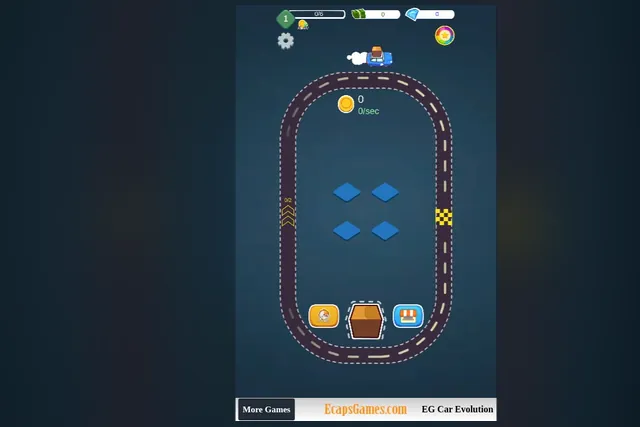
EG Car Evolution asks for plain taps. It is a car merge game on an oval track, so there is nothing to steer. You tap the box button at the bottom, work with the four tiles in the middle, watch the coin counter and the level bar, and open the shop at the bottom right. It suits a short break, and if you expect a race, this is not one.
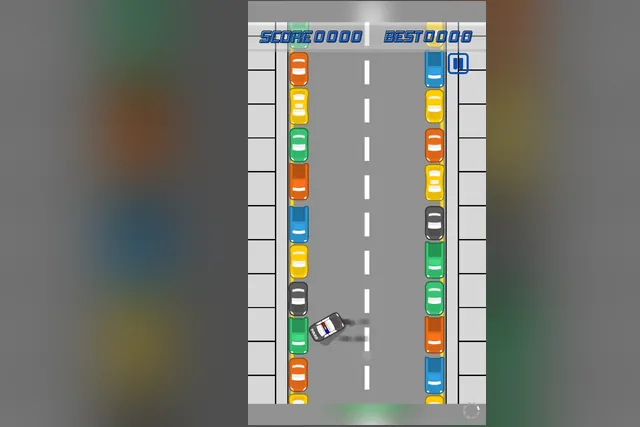
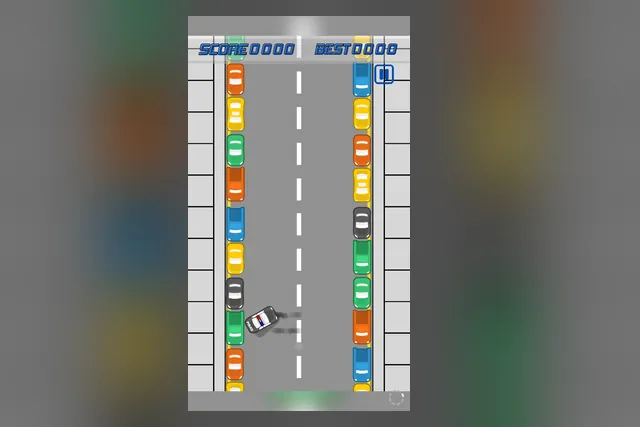
Handbrake Parking is one pull of the handbrake, timed well. The car drives itself up a street lined with parked cars, and you choose the moment to pull the handbrake. It then swings round into a tight spot. Pull a little earlier than feels natural, because the car keeps sliding sideways. Your best score stays beside the current one.
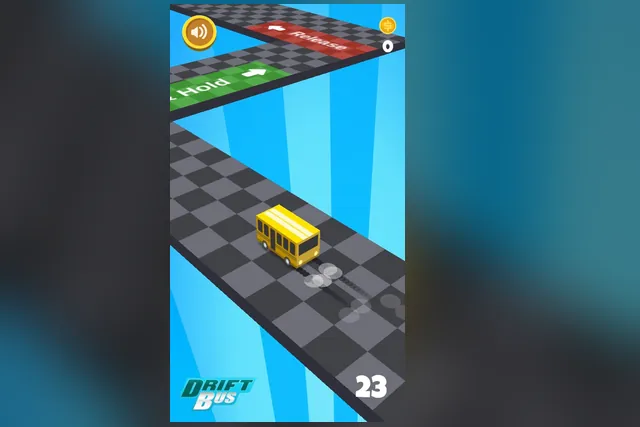
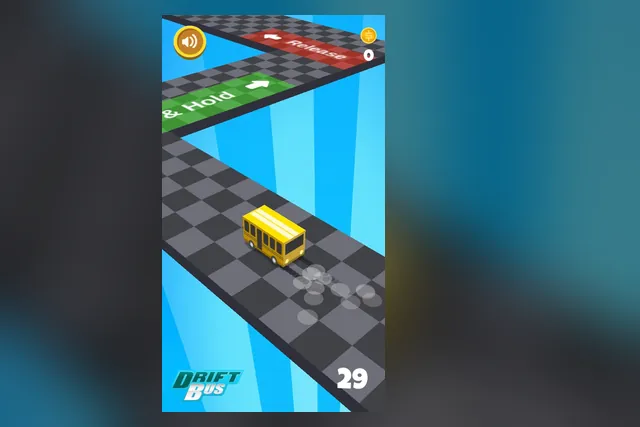
Drift Bus uses one finger in two ways, a hold and a release. Press and hold when the bus reaches a green Hold tile, then let go at a red Release tile. A yellow bus on a checkered track makes the pattern easy to read. Read the Hold tile early, since it shows when to press.
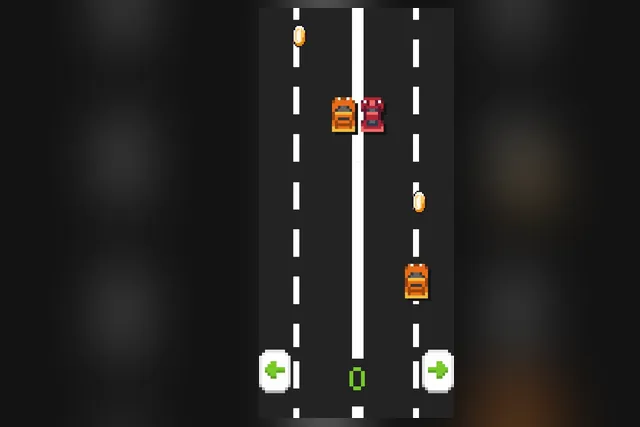
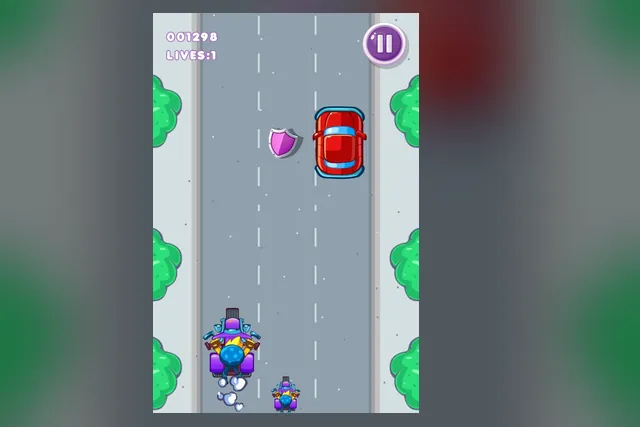
Pixel Car gives you two arrow buttons. Tap the left one to move a lane left and the right one to move a lane right. Other cars end the run if they hit yours, and coins sit in the lanes between them. Tap once per lane and wait to see the result before you tap again.
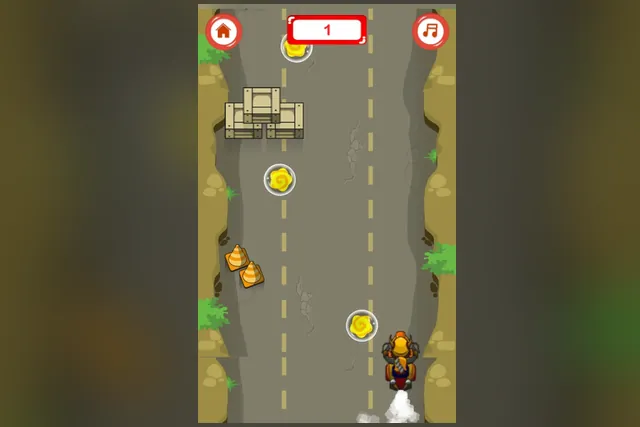
Super Bike Racing turns the thumb into a steering wheel. In portrait view you steer the bike left and right up a cracked road, round crates and cones, while the score at the top climbs. Keep the bike near the bottom of the screen, where you have the most time to react. Move sooner and with small nudges.
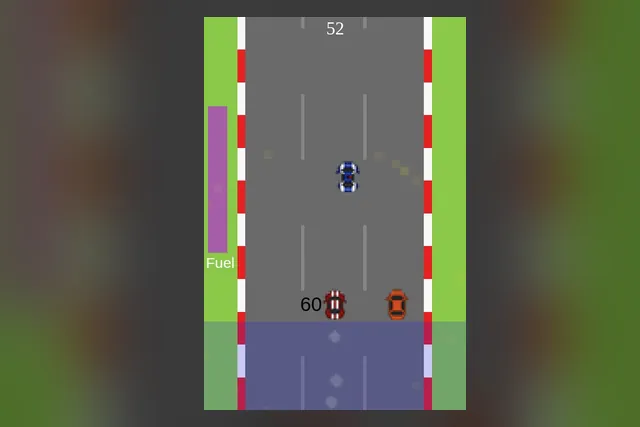
Math Speed Racing Rounding 10 asks the most, because the thumb swipes and you have to think too. Swipe left or right in the grey area to move your racecar, read the number next to it, round it to the nearest 10 and steer into the lane of the gas can showing that answer. Traffic ends the run, and the fuel bar on the left shows how much fuel is left. Look at the last digit first: 5 or more rounds up, 4 or less rounds down.
Notice how the games split. Handbrake Parking asks for a single pull per attempt, while Super Bike Racing keeps your thumb steering for the whole run.
Matching the game to your sitting
For a short break
Drift Bus, Pixel Car and Handbrake Parking all give you a clear number to beat, so a run makes sense in a minute or two. Pixel Car in particular suits a moment when you only have one hand free.
Super Bike Racing fits the same slot. One bike, one road and a counter keep it uncomplicated.
For a longer sitting
Longer sessions suit the games where something builds. EG Car Evolution rewards patience, because you tidy the four tiles while the blue car loops the oval and the coin counter ticks up. Math Speed Racing Rounding 10 keeps you rounding numbers as you drive, and each answer is a fresh decision.
Drift Bus keeps the same pattern the whole time, so the interest comes from tighter timing and a higher score.
Small habits that help on a touch screen
- Look ahead of the vehicle, not at it. Drift Bus asks you to glance at the track ahead, and Super Bike Racing works best when you watch the top of the road.
- Keep your thumb off the part of the screen you need to see.
- Move sooner and with small nudges. Big swings in Super Bike Racing leave you in the path of the next obstacle.
- Take coins only when the lane beside them is clear, since a collision ends the run.
Which one to open first
If you want something that feels like driving with almost no learning, open Drift Bus and learn the hold and release rhythm. If you prefer a single decision per attempt, pick Handbrake Parking. For lane dodging with the least fuss, choose Pixel Car, and move to Super Bike Racing when you want to slide the bike with your thumb instead of pressing buttons.
Keep Math Speed Racing Rounding 10 for when you want the thumb and the head working together, and EG Car Evolution for when you would rather tinker than race.