What the handbrake does in arcade driving games
Should you pull the handbrake or keep driving?
That is the decision you face in an arcade driving game, and the answer depends on what the corner or the parking space asks of you. Plenty of room ahead and a gentle bend rarely need a slide, while a narrow gap or a sharp corner often do. Used at the right moment, the handbrake turns a hopeless angle into a neat one, and used at the wrong moment it just sends the car sideways.
What does a handbrake actually do?
On a real car the handbrake acts on the rear wheels. Lock or slow them and they lose grip, so the back of the car swings round while the front keeps pointing roughly where it was going. Arcade games borrow that idea and make it easy to trigger, usually with a single input.
Two things matter in Handbrake Parking. First, the car keeps sliding after you pull, so the effect lasts longer than the press. Second, the timing of the pull decides where the car ends up.
How does parking with the handbrake work?
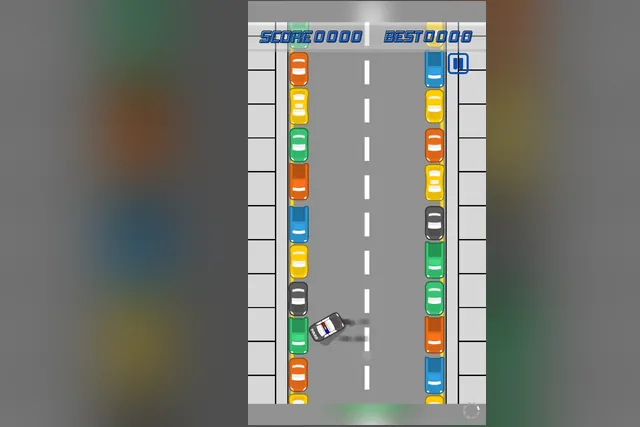
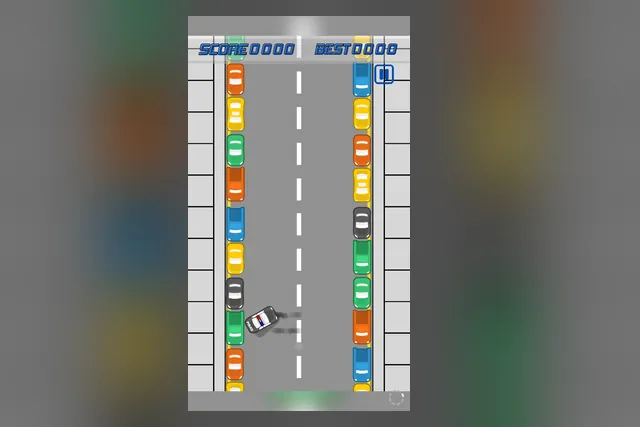
Handbrake Parking shows the idea in its simplest form. The car drives itself up a street lined with parked cars on both sides, and your only job is to pull the handbrake at the moment you choose. The car swings round, leaving skid marks, into a tight spot. Your best result stays on screen beside the score for the next try.
The score starts at 0000 with your best figure beside it, and the spots get harder as you go. Watch the gap between the parked cars before you act, because the car will not wait for you. Pull a little earlier than feels natural, since it keeps sliding sideways afterwards, and use the skid marks behind the car to see how far the slide has carried you.
How does hold-and-release drifting work?
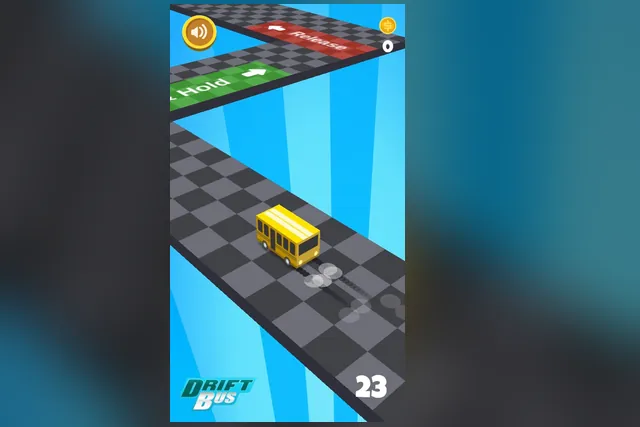
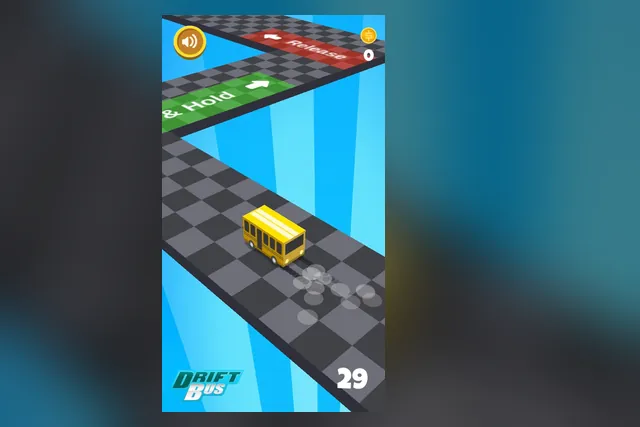
Drifting through a corner asks for two actions instead of one. In Drift Bus you press and hold when the yellow bus reaches a green Hold tile, and the bus skids around the corner. When it reaches a red Release tile you let go.
Timing matters most here, because each corner asks for the same two actions. Pick up coins as you go, and aim for a higher score.
Read the Hold tile early, since it shows when to press. Let go decisively once the bus lines up with the track instead of holding on out of habit. Glance at the track ahead, not only at the bus.
Both games also work as a comparison of what you are timing.
| Game | Input | You time |
|---|---|---|
| Handbrake Parking | Handbrake | One pull |
| Drift Bus | Hold, then release | Start and end of a slide |
Is a bike brake the same thing?
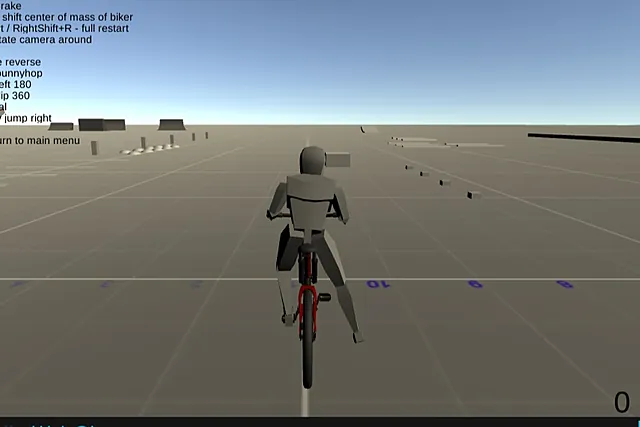
Not quite, but it teaches a related lesson about braking before you try anything bold. In Bicycle Simulator, X is the rear brake, and you ride on an open floor with ramps and blocks where nothing forces you to hurry. Spend the first minutes riding and braking so the bike feels familiar.
Tricks come after that, with Space for a bunnyhop, N for a 360 backflip and M for a left 180. If a run goes wrong, R restarts the run. There is no route to follow, so it is a quiet place to learn how a brake changes the way a vehicle moves.
Which one should you try first?
If you have only a minute, start with Handbrake Parking. It has one action, and the whole lesson is judging when to pull.
Move on to Drift Bus once that timing feels natural. Holding and releasing along a corner is a bigger step, because you now judge both when to start the slide and when to end it.
Keep Bicycle Simulator for when you want a keyboard and no pressure. Learn the brake first, then add one trick at a time.